Blue Light Filter Windows 7

Are you looking for a blue light filtering solution for Windows 7?

If you’re seeking guidance on how to reduce blue light on Windows 7, you’ve come to the right place.

As widely known, Windows 7 officially ceased receiving extended support and updates from Microsoft on January 14, 2020. This means that Microsoft no longer provides free security updates and technical support for Windows 7, and features like Night Shift, available on Windows 10, are not accessible. Therefore, we need to use third-party software to achieve blue light filtering on Windows 7.

This article will explore how to make a better choice when it comes to selecting blue light filtering software for Windows 7.

Choosing the Right Blue Light Filter Software

Selecting the appropriate blue light filter software from the numerous options available can be overwhelming, but by taking into account some important factors, you can discover the ideal software that suits your requirements. Below are some factors to think about when deciding on a blue light filter software.

  1. Customization options: Choose software that allows you to adjust the level of blue light filtering to suit your preferences. This gives you more control over the amount of eye protection you receive.
  2. Compatibility: Make sure the software is compatible with your operating system and device. Some software may only work with Windows or Mac, while others may not be compatible with your specific model of computer.
  3. Price: Some blue light filter software options are free, while others are paid. Consider your budget and your needs when choosing between free and paid options.

CareUEyes: A Comprehensive Blue Light Filtering Solution

CareUEyes is a Windows 7 blue light filter, which helps prevent eye fatigue, relieve eye pain and vision problems. It filters blue light by adjusting the color temperature, so you can freely control the filter intensity of blue light. The lower the color temperature, the less blue light.

CareUEyes is similar to the Night light on Windows 10 / Windows 11. You can use it as windows 7 Night light, but it is definitely better than the Night light.

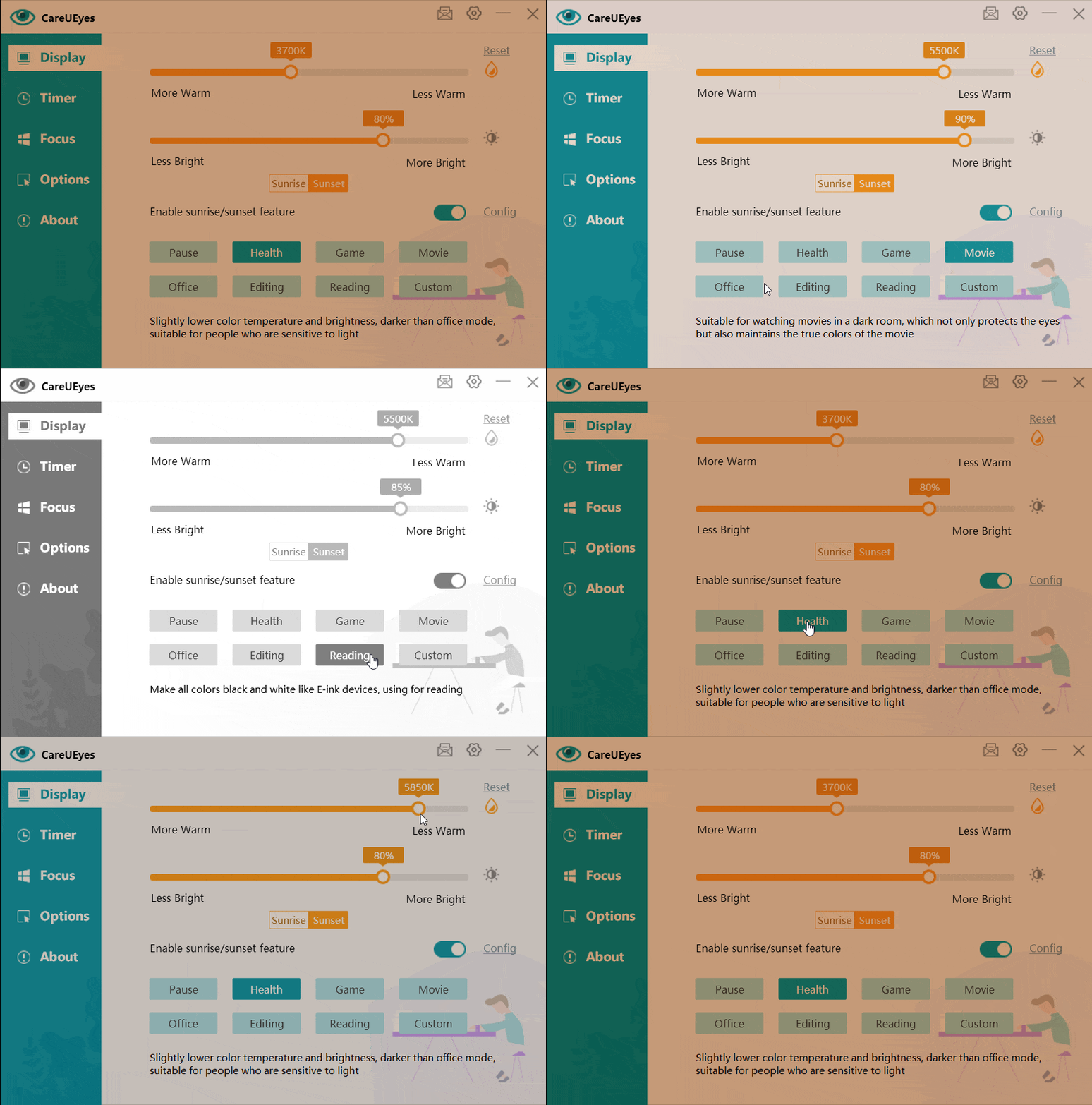
It has eight preset modes, suitable for eight different usage scenarios. Appropriate color temperature is preset for each, but you can also adjust the color temperature according to your needs.
screen dimmer for night

Three ways to filter blue light

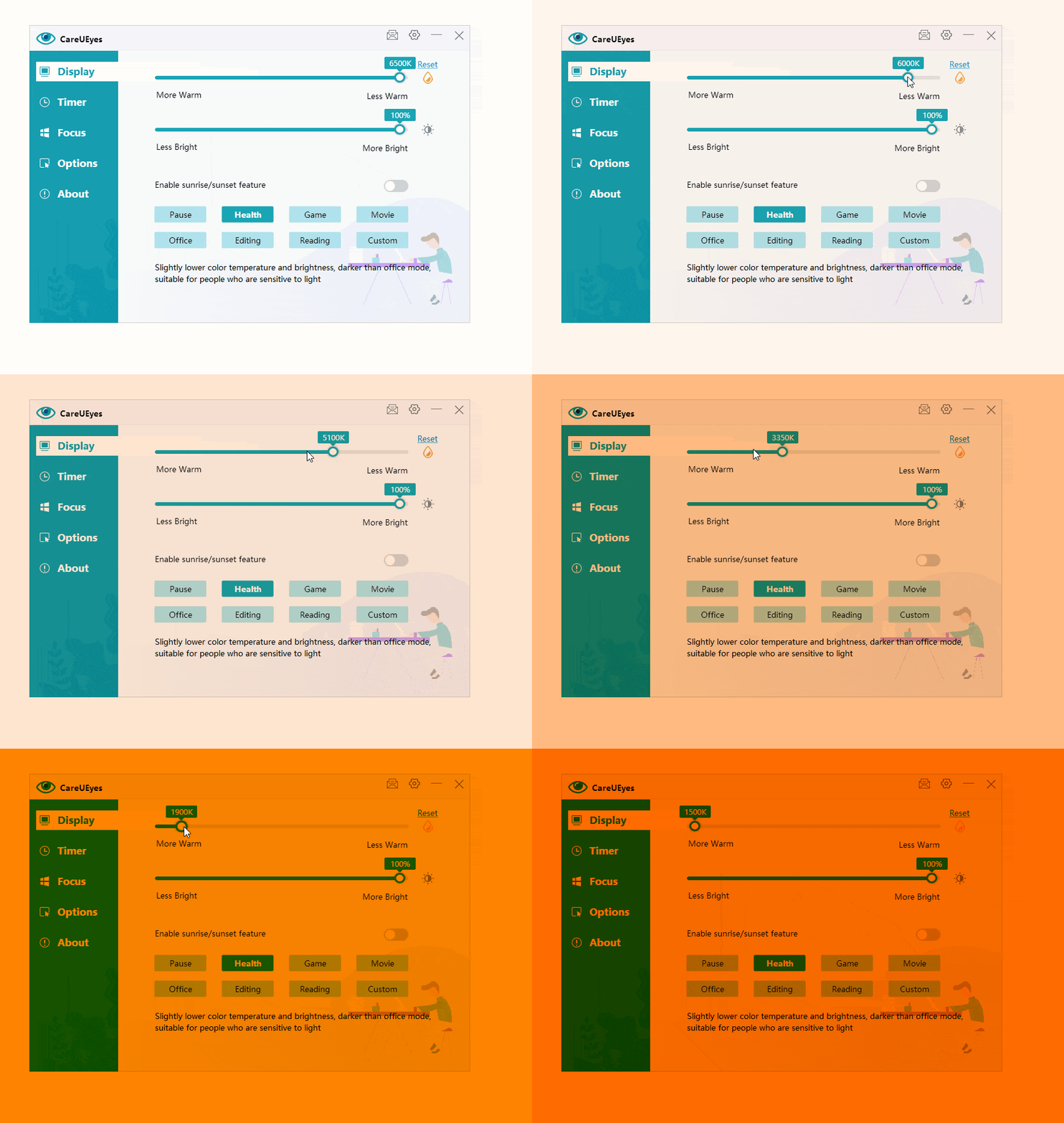
1. Drag or click the color temperature slider on the interface.

Drag to the left to decrease the color temperature(reduce the blue light), and to the right to increase the color temperature (increase the blue light).
blue light filter Windows 7


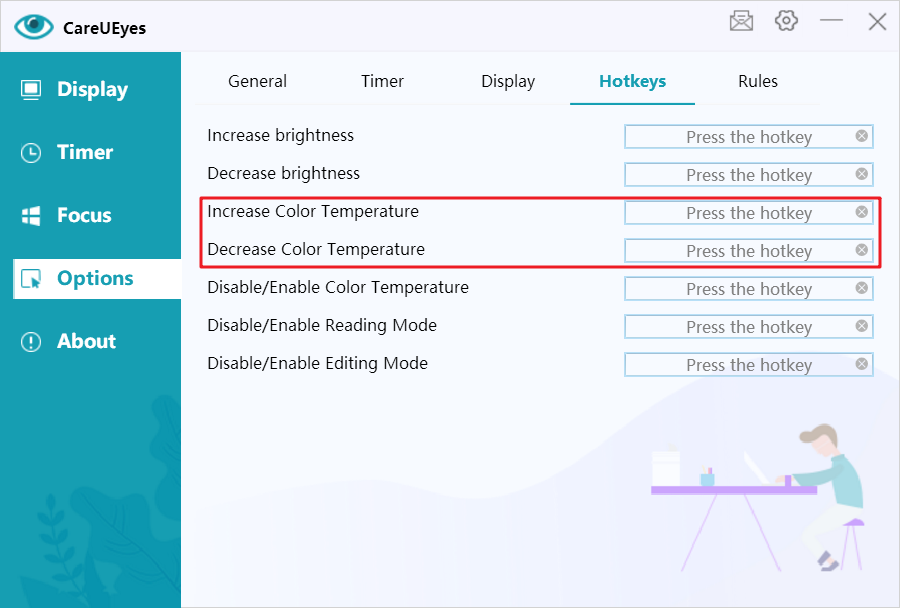
2. Using hotkeys

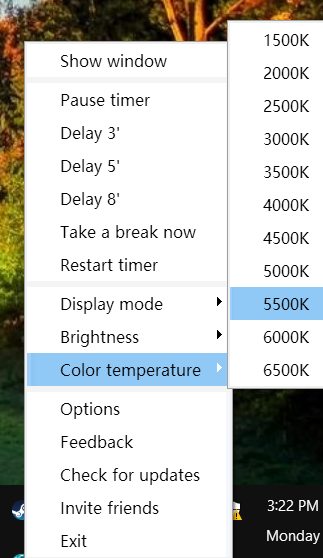
3. Select the color temperature in the tray right-click menu
Lightweight and Easy-to-Use Blue Light Filter

CareUEyes can easily help you achieve intelligent blue light filter adjustment. Some software uses overlay translucent windows to filter blue light, but CareUEyes directly controls the display’s RGB value, which ensures compatibility with other software. You can also set the CareUEyes blue light filter adjustment feature to be disabled when a special program is running (for example, while running photoshop, to restore real color).

Unlike other blue light filter software on windows 7, CareUEyes has higher performance. It only needs 5M of memory at runtime, and it does not consume too much CPU time. And the package of CareUEyes is only 2M. I believe this is your best choice.
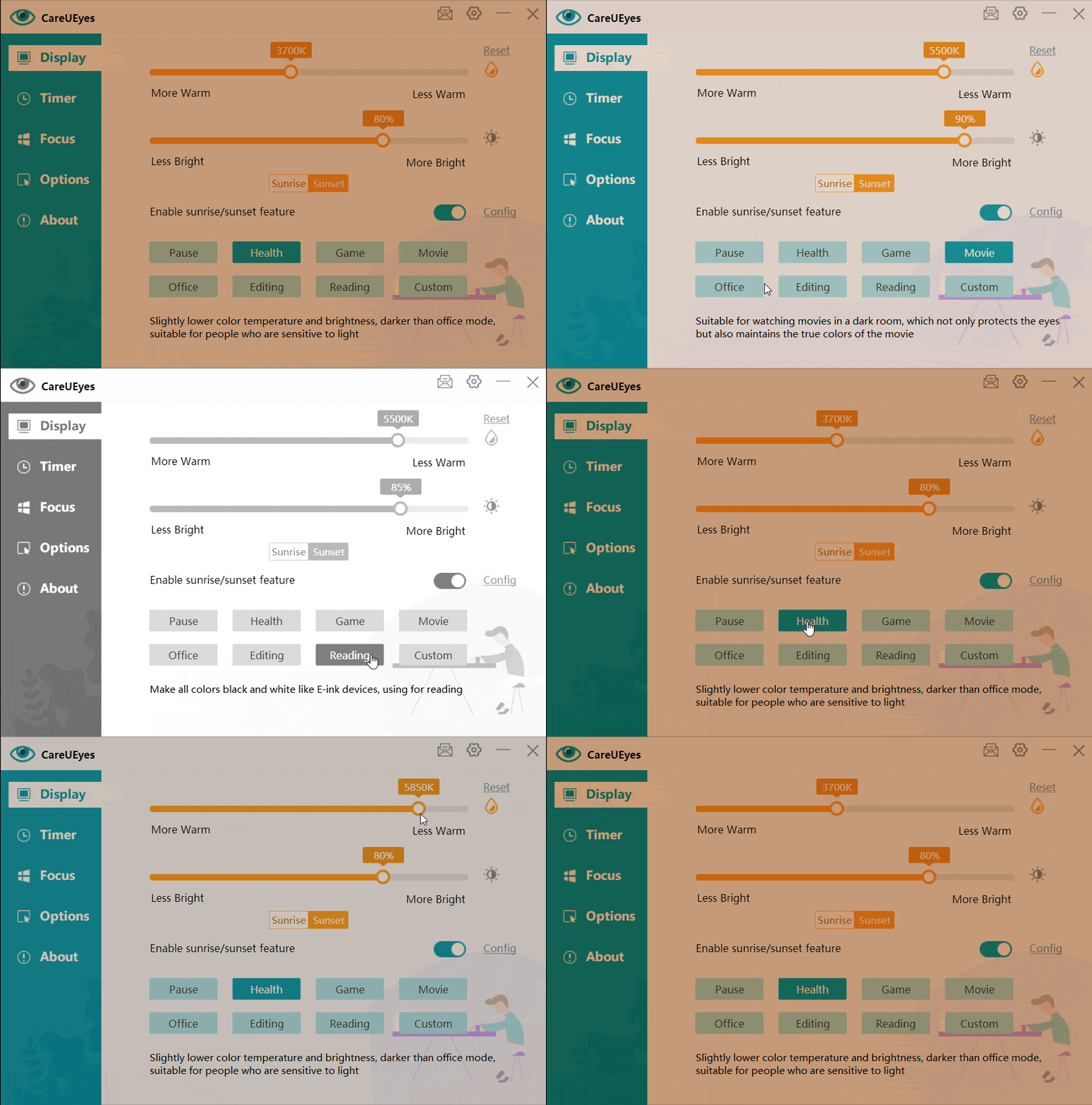
blue light filter Windows 7

Different Blue Light Needs for Day and Night

Although blue light is harmful to the eyes, proper blue light irradiation is beneficial to people during the day. Blue light can keep people awake and have the energy to finish work or study. Therefore, if you are not a person with extremely sensitive eyes, you only need to filter a small part of the blue light during the day and restore the light of the computer screen to light similar to sunlight.

But at night, blue light becomes very harmful, you need to filter more blue light to prevent sleep from being disturbed by blue light. Excessive exposure to blue light at night will cause sleep problems. Because blue light inhibits the production of melatonin in the body. Melatonin is a hormone produced by the pineal gland. It helps your body know when to sleep and wake up. (External Factors that Influence Sleep)

According to people’s different needs for blue light day and night, CareUEyes provides sunrise and sunset feature. Compared with the sunrise and sunset, the color temperature and brightness after sunset are lower.

You only need to turn on the sunrise and sunset functions, CareUEyes will automatically help you adjust the color temperature and brightness at sunrise and sunset.

Download

In addition to filtering blue light, more ways to protect your eyes


1. Follow the “20-20-20” principle

Every time you watch the screen for 20 minutes, raise your eyes and look at a place 20 feet away for at least 20 seconds.

However, many people often forget to take a break due to their busy schedules. CareUEyes can remind you to take a break regularly. It is not a simple timer, it is far more intelligent than you think.

CareUEyes can intelligently analyze the time you actually use the computer, and when you actually work on the computer for the predetermined time, it will remind you to take a break.
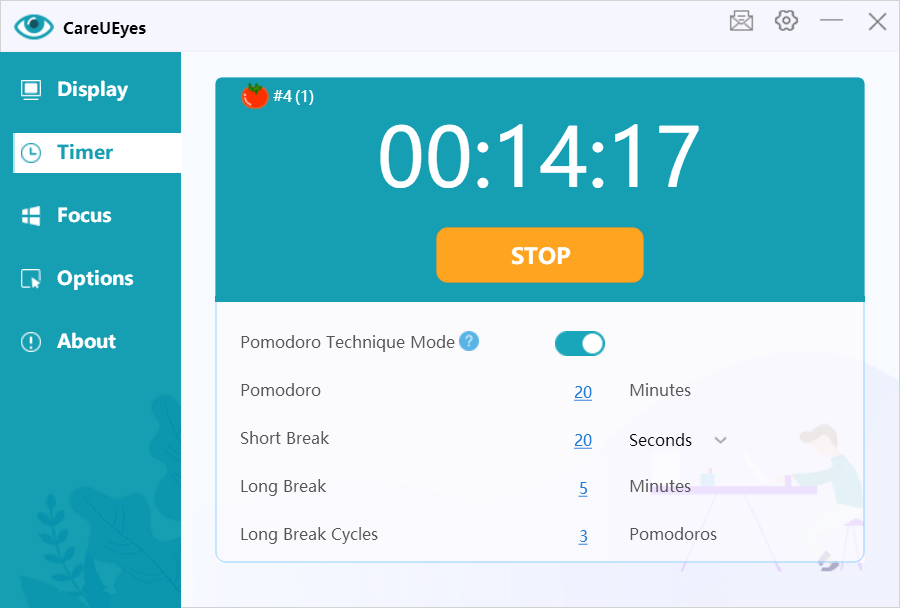
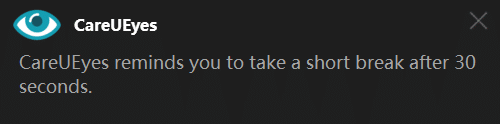
timer
timer
take a break
take a break


2. Set the appropriate brightness for the screen

Don’t make your screen too bright, because the brighter the screen, the more blue light will be emitted, and too bright screen light is also a direct stimulus to the eyes and easily leads to eye fatigue.

Use CareUEyes to easily adjust the screen brightness. You can adjust the brightness in the program interface or use the hotkeys to adjust.
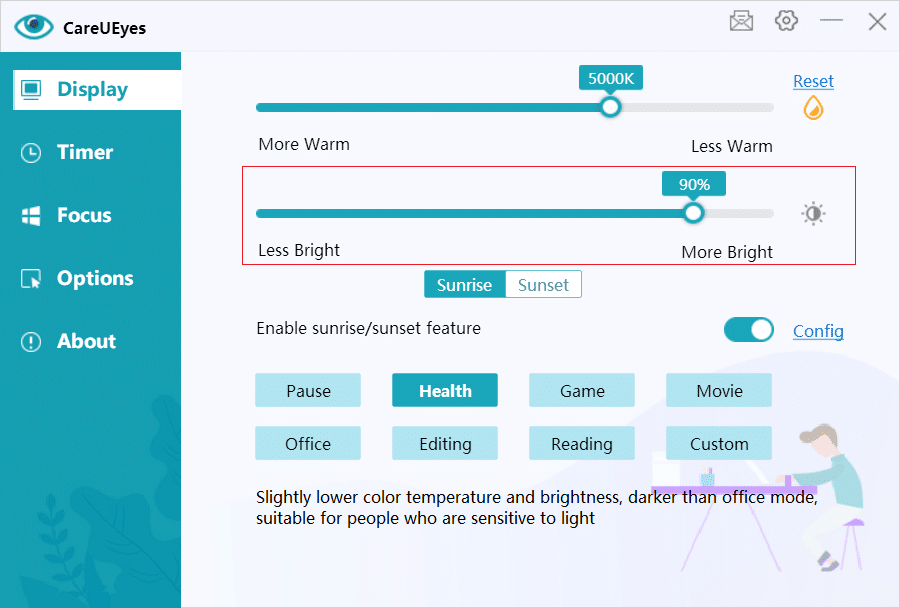
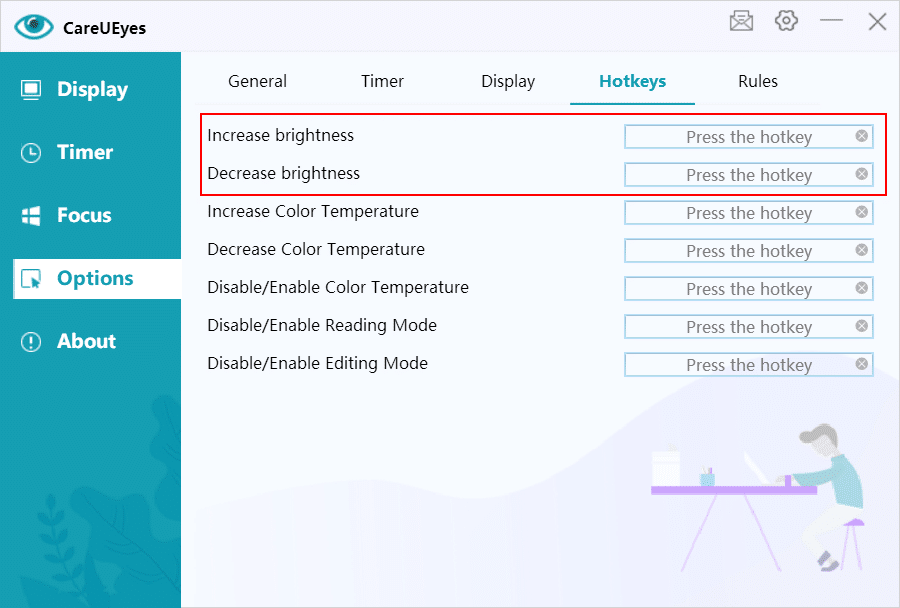
adjust screen brightness

hotkey


With Microsoft no longer providing updates for Windows 7, it becomes crucial to opt for third-party eye protection software to filter out harmful blue light. In this regard, CareUEyes emerges as the optimal choice, serving not only as a blue light filtering tool but also as a comprehensive eye care solution. With CareUEyes, your eyes receive all-encompassing care, ensuring their well-being in various aspects.

blue light filter for windows 7 free download
Download


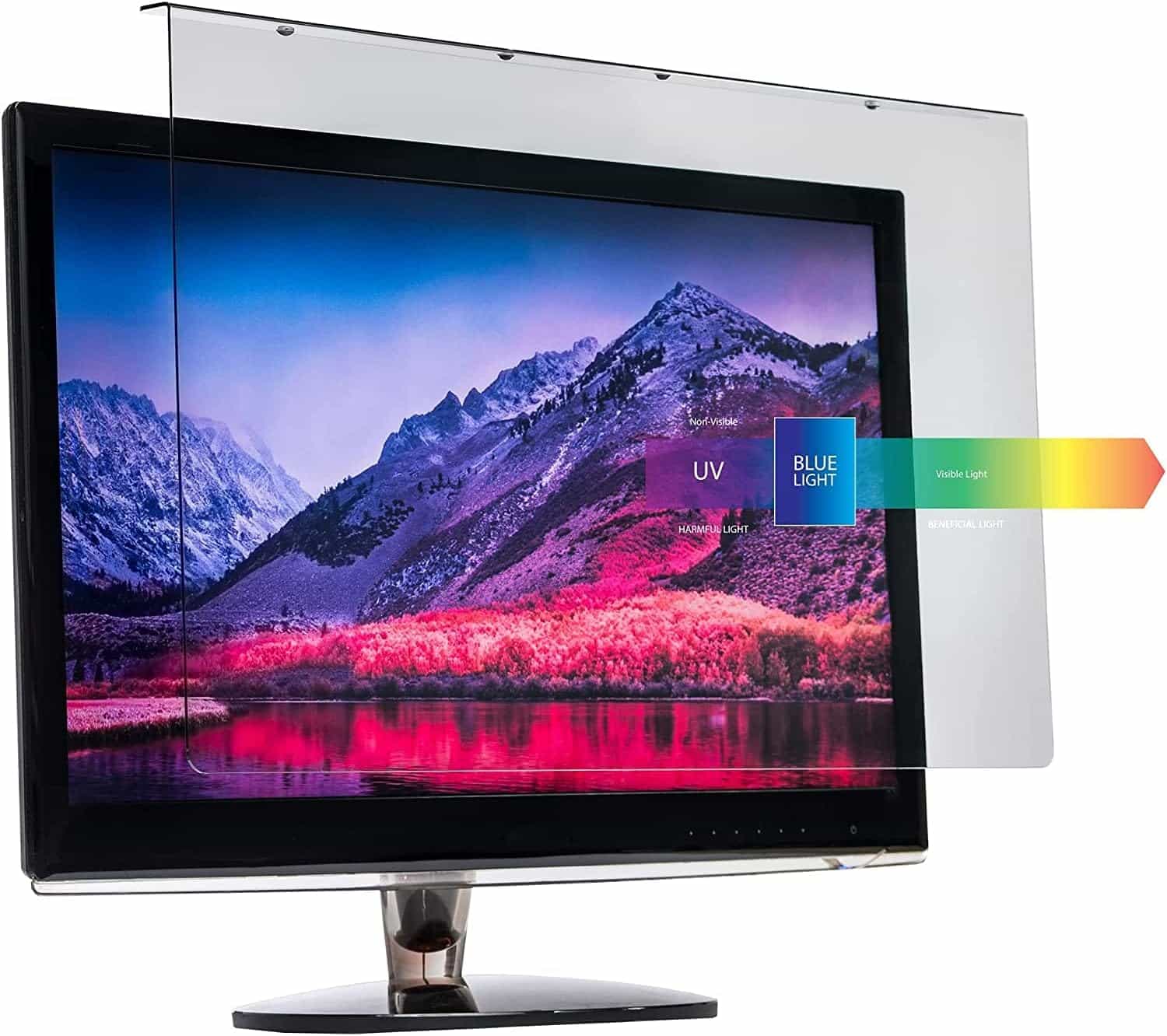
Blue Light Screen Protector Buying Tips

In today’s digital age, we are exposed to screens for extended periods, which can lead to eye strain and discomfort due to blue light emission. Choosing the best blue light screen protector is essential for protecting your eyes. Here are some key factors to consider when selecting a blue light screen protector.

Factors to Consider When Choosing a Blue Light Screen Protector

  1. Price Blue light screen protectors come in a wide range of prices. High-quality protectors can be expensive, often ranging from $30 to $100. While price does not always correlate with quality, investing in a good protector can ensure better performance and durability.
  2. Material The material of the screen protector is crucial. Common materials include acrylic, polycarbonate, and tempered glass. Acrylic protectors are lightweight and affordable but can scratch easily. Polycarbonate protectors are more durable and resistant to impact. Tempered glass protectors offer excellent clarity and scratch resistance but are more fragile and expensive.
  3. Size Choosing the right size is crucial. Measure your screen dimensions before purchasing to ensure the filter covers the entire screen without obstructing the display. Most brands offer filters in various sizes to fit different screens.
  4. Installation Method There are two main installation methods: hanging directly on the monitor or adhesive type. Hanging protectors are easy to install and remove, making them convenient for different monitors. Adhesive protectors offer a more secure fit but can be challenging to install correctly and may leave residue when removed.
  5. Blue Light Blocking Rate The effectiveness of the screen protector in blocking blue light is a critical factor. A good screen protector should block at least 50% of blue light, with high-performance options blocking up to 90%.
  6. Light Transmittance Light transmittance affects the screen’s clarity. High transmittance ensures that the screen remains clear and bright. Low-quality protectors can cause the screen to appear dim or blurry.
  7. Anti-Glare Anti-glare properties are essential for reducing reflections and making the screen easier to view under different lighting conditions. This feature is particularly beneficial if you work in a bright environment or have multiple light sources that cause screen glare.

CareUEyes is a Superior Alternative

CareUEyes is a comprehensive eye protection software designed to reduce eye strain caused by prolonged screen exposure. It adjusts the screen’s color temperature and brightness, blocks blue light, and offers features such as rest reminders and automatic adjustments based on sunrise and sunset.

blue light filter for laptop

Download

While blue light screen protectors offer several benefits, CareUEyes provides a more comprehensive and cost-effective solution with numerous advantages:

  1. Affordable and Long-lasting CareUEyes is priced at just $19.9 for a lifetime license, significantly cheaper than high-quality blue light screen protectors. Unlike physical protectors that can scratch or break and may need replacing when changing monitors, CareUEyes offers a one-time investment.
  2. No Impact on Screen Clarity CareUEyes does not affect screen clarity or produce glare. It works by adjusting the screen’s color temperature and brightness, ensuring that the display remains clear and sharp without any physical overlay.
  3. Adjustable Blue Light Blocking Rate CareUEyes allows you to adjust the blue light blocking rate by changing the screen’s color temperature. This customization lets you find the perfect balance between eye comfort and screen visibility.
  4. Automatic Adjustment Based on Sunrise and Sunset One of CareUEyes’ standout features is its ability to automatically adjust the screen’s color temperature based on the time of day. This dynamic adjustment helps reduce eye strain by mimicking natural light patterns.
  5. Comprehensive Eye Protection In addition to blue light filtering, CareUEyes offers features like screen brightness adjustment and rest reminders. These features promote healthier screen usage habits and provide all-around eye protection.

Conclusion

When it comes to protecting your eyes from blue light, choosing the right solution is crucial. While blue light screen protectors offer some benefits, CareUEyes stands out as a superior alternative due to its affordability, effectiveness, and additional features. With CareUEyes, you can enjoy enhanced eye protection without compromising screen clarity or dealing with the potential drawbacks of physical screen protectors. Investing in CareUEyes is a smart choice for anyone looking to safeguard their eyes in our screen-dominated world.

CareUEyes offers a free one-month trial so you can experience its benefits firsthand. Additionally, when you purchase the software, you get a 7-day money-back guarantee. Try CareUEyes now and see how it can help reduce eye strain and improve your screen time comfort.

Download

Blue Light Filter for Computer Screen: Why CareUEyes is the Best Choice

In today’s digital age, we spend an increasing amount of time in front of computer screen. This prolonged exposure can lead to various health issues, primarily due to the blue light emitted by computer screen. Blue light has been linked to eye strain, headaches, and sleep disturbances. To combat these problems, using a blue light filter is essential. Among the many options available, CareUEyes stands out as a superior choice for protecting your eyes and enhancing your digital experience.

The Importance of Blue Light Filter for Computer Screen

Blue light is part of the visible light spectrum with a short wavelength and high energy. Prolonged exposure to blue light can penetrate the eye and potentially damage the retina, leading to digital eye strain and discomfort. Symptoms include dry eyes, blurred vision, headaches, and disrupted sleep patterns. Blue light filter can significantly reduce these risks by limiting the amount of blue light that reaches your eyes.

Why Choose CareUEyes?

CareUEyes is a comprehensive software solution designed to reduce blue light and alleviate eye strain. Here are the key reasons why CareUEyes is the best choice for a blue light filter:

night mode

1. Effective Blue Light Reduction

CareUEyes effectively reduces blue light emission by adjusting the color temperature of your screen. By filtering out the harsh blue light, it helps protect your eyes from strain and fatigue, allowing you to work or browse comfortably for extended periods.

2. Customizable Settings

One of the standout features of CareUEyes is its highly customizable settings. Users can adjust the level of blue light reduction according to their personal preferences. The software offers multiple preset modes, such as normal, smart, office, night, game, and movie, to suit different activities. Additionally, you can create custom modes tailored to your specific needs.

3. Screen Dimmer Functionality

In addition to blue light filtering, CareUEyes includes a screen dimmer function. This feature allows you to adjust the brightness of your screen to optimal levels, particularly in low-light environments. Reducing screen brightness further minimizes eye strain and enhances viewing comfort.

4. Break Reminders

To promote healthy screen habits, CareUEyes provides break reminders. These reminders encourage you to take regular breaks, reducing the risk of digital eye strain and promoting better overall eye health. You can customize the frequency and duration of these breaks to fit your work schedule.

timer
timer

5. Automatic Adjustments

CareUEyes can automatically adjust your screen settings based on the time of day. This feature, known as the “sunrise/sunset” mode, ensures that your screen’s color temperature changes in accordance with natural light patterns. This not only reduces blue light exposure in the evening but also helps maintain your circadian rhythm, improving sleep quality.

6. User-Friendly Interface

CareUEyes boasts a simple and intuitive interface, making it easy for users of all levels to navigate and customize their settings. The straightforward design ensures that you can quickly access and adjust the features you need without any hassle.

7. Cost-Effective Solution

While there are many blue light filter options available, CareUEyes offers a cost-effective solution. It provides a range of features typically found in more expensive software, making it accessible to a wide audience without compromising on quality.

Conclusion

In conclusion, CareUEyes is the ideal blue light filter for anyone seeking to protect their eyes and improve their digital experience. Its effective blue light reduction, customizable settings, screen dimmer functionality, break reminders, automatic adjustments, user-friendly interface, and cost-effective pricing make it the best choice on the market. Don’t let blue light strain your eyes and affect your well-being. Choose CareUEyes and enjoy a more comfortable and healthier screen time.

Download