Control your screen brightness instantly — without opening system settings.
Adjust brightness using a simple slider or hotkeys, and manage multiple monitors with ease.
CareUEyes is a lightweight and trusted brightness control tool that helps you manage screen brightness quickly and comfortably.
A Faster Way to Adjust Screen Brightness
Instead of relying on built-in Windows controls, CareUEyes gives you a faster and more flexible way to adjust brightness.
You can change brightness instantly without opening settings, making it easier to switch between tasks or work across multiple displays.
Key Features of the Screen Brightness Adjuster
Instant Brightness Adjustment
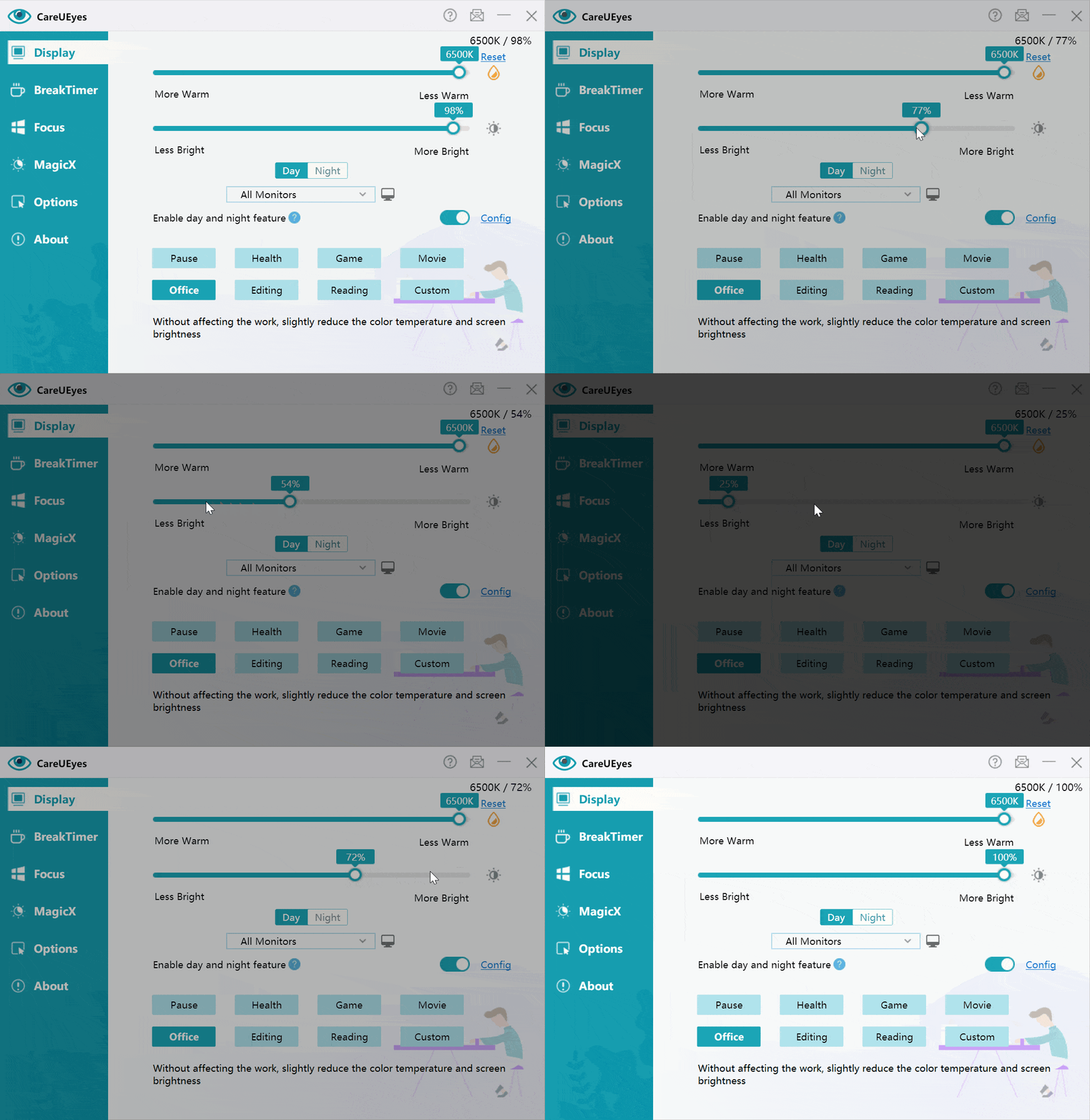
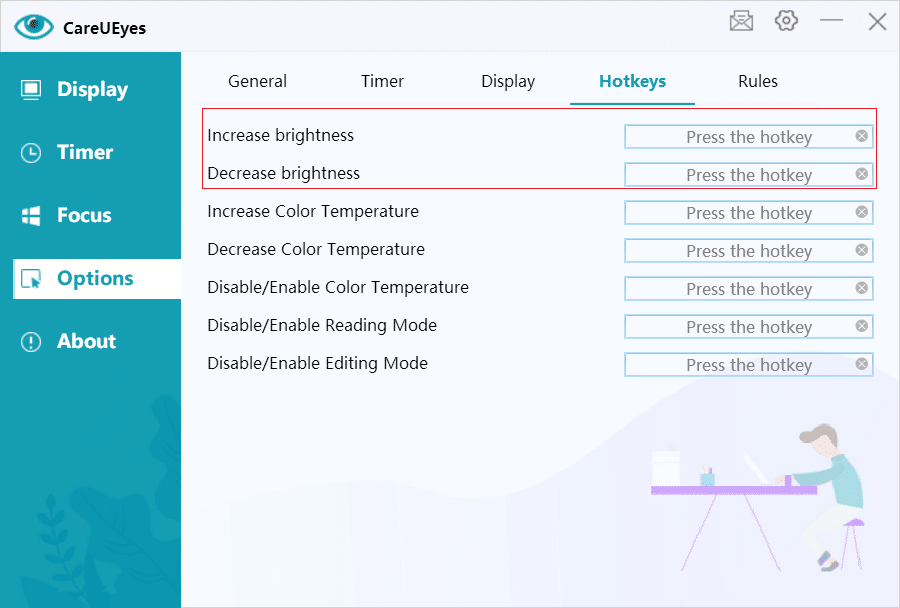
Adjust brightness in real time using a simple slider or keyboard shortcuts. No need to open Windows settings.
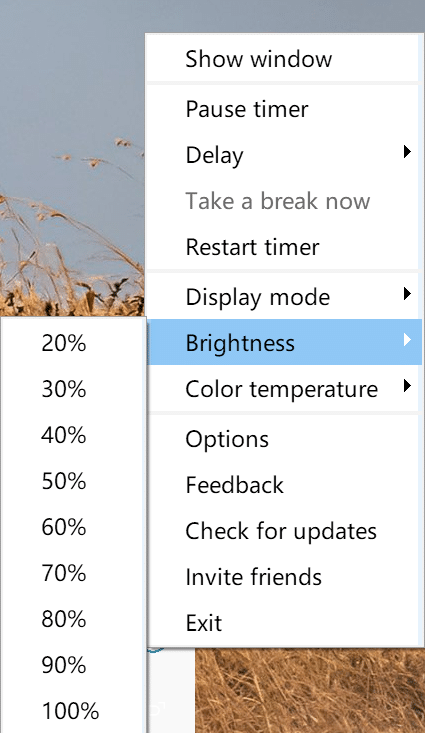
You can also adjust brightness directly from the system tray menu, making quick adjustments even faster and more convenient.
Multi-Monitor Support
Control brightness across multiple monitors from one place — including external displays. Adjust each screen independently or sync all monitors to change brightness together.
Precise Brightness Adjustment
Fine-tune brightness levels to match your environment, whether you’re working, reading, or watching content.
Smart Brightness Scheduling
Automatically control brightness with smart scheduling.
Set your preferred brightness for day and night, and let it adjust automatically in the background.
Lightweight & Easy to Use
Minimal interface, fast response, and designed for everyday use without complexity.
Full Control Over Your Screen Brightness
With CareUEyes, you get full control over how your screen brightness works.
Adjust brightness instantly, control multiple monitors, and automate changes — all in one simple and efficient tool.
How Screen Brightness Adjuster Works
CareUEyes uses gamma-based rendering to control brightness at the software level, bypassing the limitations of standard system controls.
This enables more precise adjustments, smoother visual output, and consistent behavior across multiple monitors.
Adjust Screen Brightness on Windows & Multiple Monitors
• Windows 11/10/8/7/XP
• Works on laptops and desktop computers
• Supports multiple monitors, including external displays
Adjust brightness across all your screens from one place.
Download Screen Brightness Adjuster
Make brightness control simple again.
Adjust brightness the way you want — instantly, across multiple monitors, and automatically throughout the day.