(For Windows 11 / 10 / 8 / 7 / XP • PCs and laptops)
• Filter harmful blue light from your screen
• Improve sleep by reducing blue light that disrupts your sleep cycle
• Adjust brightness for comfortable viewing
• Prevent eye strain from overly bright or dim screens
• Get reminders to take regular breaks
• Reduce eye strain and fatigue with regular breaks
• Highlight your active window to reduce distractions
• Dim background windows to help you stay focused
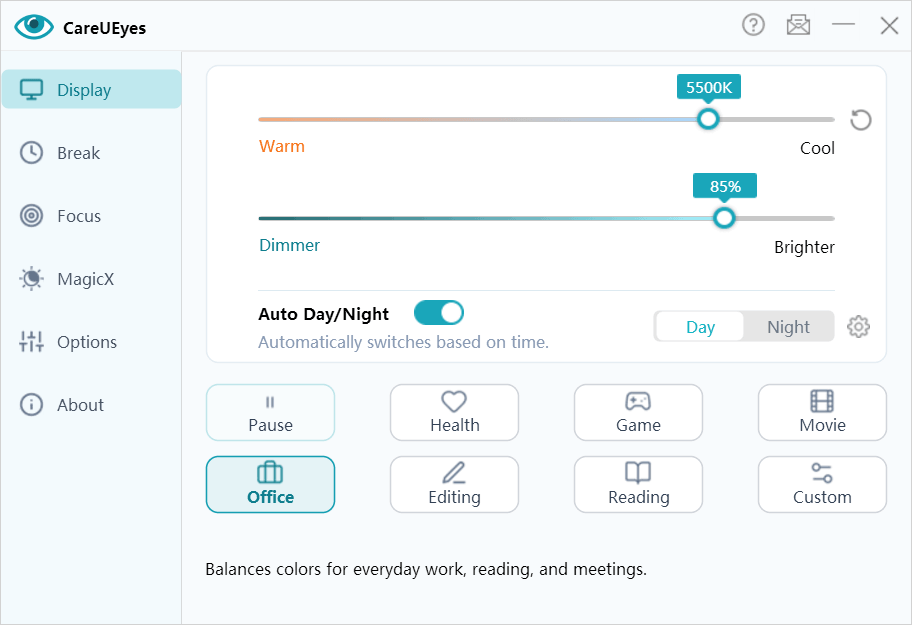
• Blue light filtering – Reduce harmful blue light by adjusting screen color temperature
• No yellow screenshots – Maintain accurate colors when capturing screens
• Preset modes – Choose from 8 specialized eye protection modes for different scenarios
• Day & night adjustment – Automatically adjust color temperature based on your local sunrise and sunset
• Wide color temperature range – Fully adjustable from 0K to 10,000K, far exceeding industry standards
👉 Learn More About Blue Light Filter for PC→
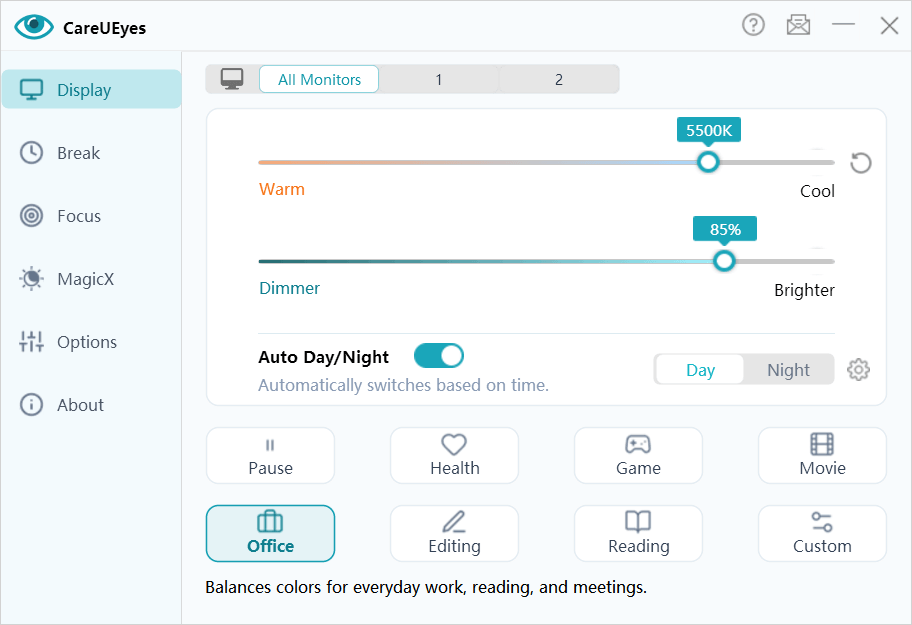
• Comfortable brightness adjustment – No washed-out colors, no added flicker
• Precise brightness control (1% accuracy) - Finer control than default Windows settings or standard dimmer tools
• Extended brightness range – Adjust brightness beyond your monitor's default limits
• Multi-monitor support – Adjust each display independently or sync brightness across all screens
• Auto brightness – Automatically adjusts brightness based on the time of day to match your environment and reduce eye strain
• Keyboard shortcuts – Quickly adjust brightness using custom hotkeys
👉 Learn More About Screen Brightness Control →
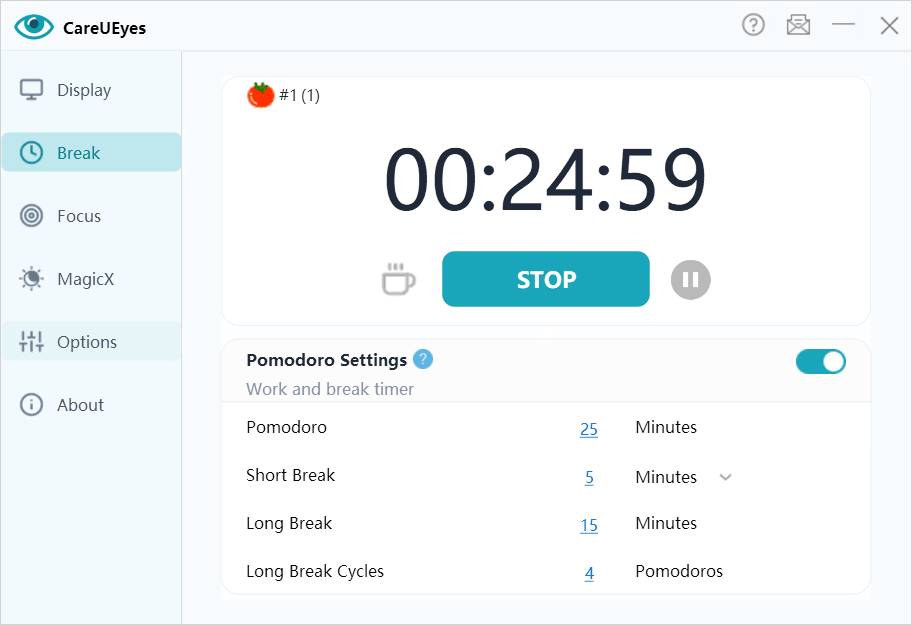
• Custom break reminders – Set personalized intervals to prevent eye fatigue
• Enforced breaks – Lock your screen temporarily to ensure you get real, uninterrupted rest
• Smart pause detection – Automatically pause the timer when you're away from the computer
• Structured break cycles – Automatically alternate short and long breaks
• The 20-20-20 rule - Easily follow the recommended standard to reduce eye strain
👉 Learn More About Break Timer Features →
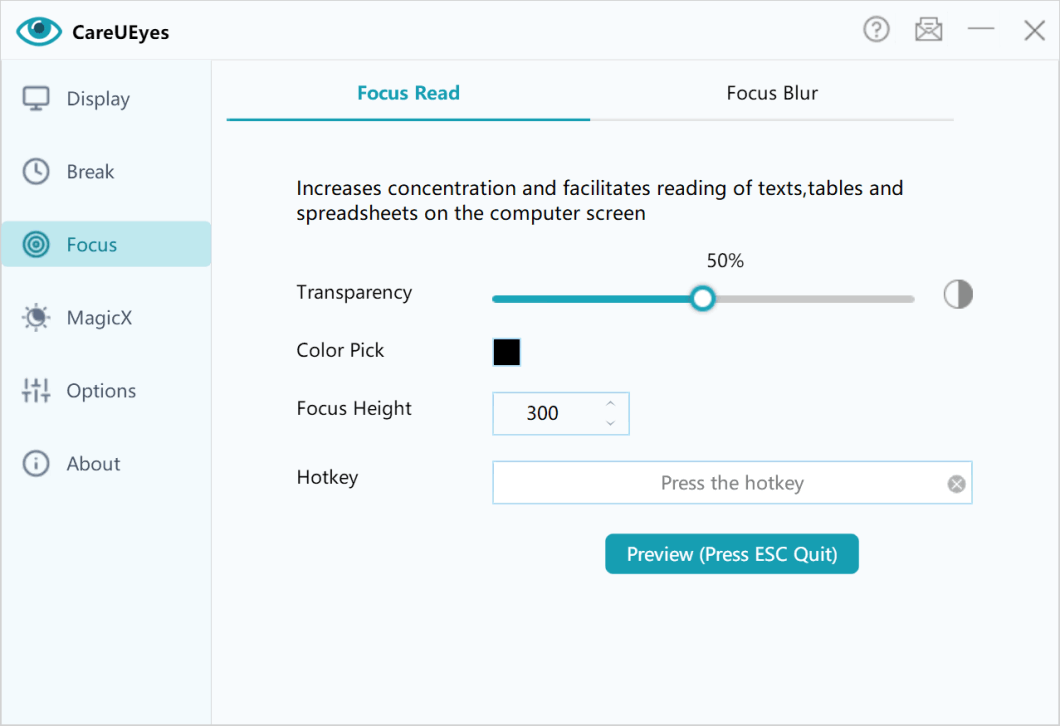
• Focus Read – Highlight active reading areas to improve concentration
• Focus Blur – Blur background windows to reduce visual distractions
• Magic Window – Darken or grayscale any window to reduce distractions and make content easier to read
• Auto Dark – Automatically switch between light and dark mode based on your schedule
👉Learn More About Focus Read Features →
👉Learn More About Focus Blur Features →
👉Learn More About MagicX Features →
Digital eye strain is often caused by:
• Excessive blue light exposure
• Improper screen brightness
• Long periods without breaks
CareUEyes helps protect your eyes in three powerful ways:
• Reduce harmful blue light
• Optimize screen brightness for comfort
• Remind you to take breaks before fatigue builds up
👉 Learn How to Reduce Digital Eye Strain with CareUEyes→
No, it doesn't. CareUEyes keeps your screenshots perfectly color-accurate and bright, regardless of your screen settings.
• Zero Impact on Screenshots: Because adjustments happen at the GPU level, underlying pixel data is untouched. Your screenshots remain bright and true to color, even at 1% brightness in a warm "Night" mode.
• Warm for Eyes, Original for Files: Your screen looks warm to protect your eyes, but your design work, captures, and shared images are never "yellowed" or distorted in the actual files.
• Crystal Clear Text: Unlike overlay-based dimmers that make screens look "muddy" or gray, our gamma adjustment ensures text stays sharp and colors remain vibrant.
Yes. While Windows Night Light offers a basic manual slider, CareUEyes is a comprehensive, professional eye protection solution. Here is why it stands out:
• Advanced Color Temperature: Choose from preset scene modes (like Reading, Office, or Game) or fine-tune the warmth exactly to your preference.
• Smart Day & Night Transition: Automatically syncs brightness and color temperature with your local sunrise and sunset for 24/7 comfort.
• True Deep Dimming: Go beyond system hardware limits to dim your screen all the way down to 1% for late-night use.
• Multi-Monitor Control: Unlike Windows settings, you can easily sync or independently manage eye care settings across all your external displays.
It's my eye saver. With several modes to choose from, and customizable brightness levels, my eyes no longer feel strained. Thank you so much for developing such as wonderful app!
I have very light-sensitive eyes and this software is just what I needed. Totally recommended. I can make the monitor as dark or light as I need or want. 😀
I was looking for a piece of software that would act like a dark mode you find on many apps and websites nowadays. After checking out the settings in the trial version, especially the dark mode which I was specifically after, I was so impressed I decided to pay for the lifetime license
Above all, you can adjust the screen brightness and color repair. And of course, that you are reminded to take a screen break at certain (self-chosen) intervals.
Excellent eye protection, especially if you need to be working for several hours on the computer.
Awesome software. It has a great range of auto settings that just work perfectly out of the box. It's a must have program 10/10.